How to Reclaim Your Unusable, Overwhelming Bookmark Library
Turn your chaotic, unsorted browser bookmarks into an organized, searchable library. Learn how to import, tag, and automatically categorize your saved.
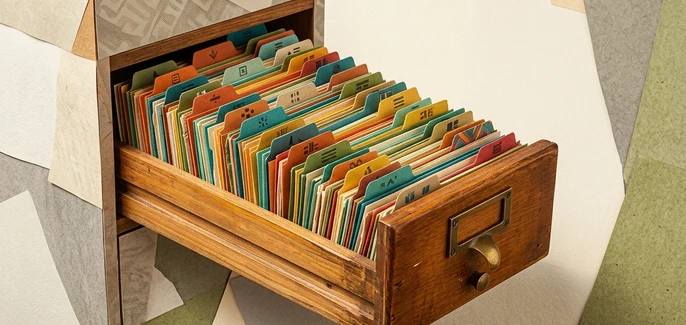
Your browser bookmark bar has likely become a digital junk drawer. It starts innocently with a few essential links, but over time, it devolves into a chaotic graveyard of duplicated folders, generic "misc" directories, and unidentifiable favicon icons that you never click. When you save a link, you are trying to preserve knowledge, but without a system, you are simply burying it.
Why Traditional Saving Workarounds Fail
When browser bookmarking becomes too cluttered, we turn to temporary workarounds. We search through endless browser history, paste links into private chat threads, take screenshots of articles, or tell ourselves we will simply "remember to look it up later." These habits fail because they scatter your resources across multiple platforms. Instead of a unified library, your knowledge is fragmented, making retrieval nearly impossible when you actually need it.
The LinkBook.io System for Bookmark Recovery
To turn a bloated collection into an active asset, you need a single source of truth. LinkBook.io offers a structured environment designed to rescue your links from browser silos and organize them automatically. At BookmarkManager.ai, we recommend building a clean, sustainable workflow that balances automation with manual curation.
A Step-by-Step Guide to Rebuilding Your Library
- Import Your Existing Folders: Begin by importing your bookmarks from Chrome, Firefox, Edge, or Safari. LinkBook.io preserves your original folder structure during this process, ensuring you do not lose your existing setup.
- Run AI Folder Organisation: If your imported folders are still a mess, use the premium AI organise bookmark folders feature. This tool automatically analyzes your saved URLs and groups them into clean, logical categories.
- Refine with Folders and Tags: Keep your library organized moving forward by combining folders for broad topics and tags for specific attributes, projects, or urgency levels.
- Access via the Dashboard: Stop digging through nested browser menus. Use the central dashboard to view your favorites, browse categories, and use the search bar to locate any link by its title, URL, or custom filters.
Choosing Your Library Setup
You can start organizing your digital library today. Core features like importing from major browsers, manual folders, tags, and search are fully available on the free plan. To unlock advanced automation, including the AI folder organization tool, you can explore premium options at LinkBook.io Subscriptions. Ready to clear the clutter? Sign up and start building your clean library at LinkBook.io.
The Path to Digital Order
A cluttered bookmark bar is a symptom of a broken retrieval system, not a personal failure. By consolidating your links, leveraging automated sorting, and using a dedicated dashboard, you can transform your digital junk drawer into a highly functional library. Stop hoarding links in the dark—bring them into an organized workspace where they can actually be used.
Start organising your bookmarks with AI - free forever
Join thousands of researchers, students and teams using LinkBook.io to save, summarise and rediscover the web with AI.