Stop Losing Your Tabs: How to Sync Bookmarks Across Every Device
Tired of having your work bookmarks trapped on your office laptop while you browse on your phone? Learn how to build a friction-free, cross-device link.
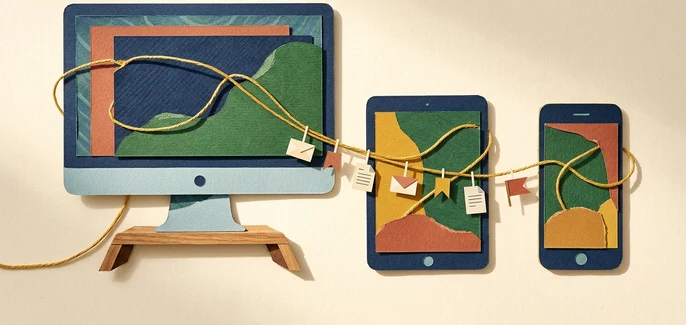
You find a critical technical resource or a deep-dive tutorial on your desktop during the workday. You save it, planning to read it during your evening commute. But when you open your phone on the train, that link is nowhere to be found. It is trapped inside a specific browser profile on a machine that is now closed and locked in your office.
We bounce between work laptops, personal phones, and tablets all day. Yet, our digital curation tools remain stubbornly isolated. When your browser profiles do not talk to each other, your hard-earned knowledge remains fragmented.
Why Traditional Workarounds Fail
Most of us rely on fragile, manual habits to bridge this cross-device gap. We email links to ourselves, paste URLs into private chat channels, take screenshots of headlines, or leave dozens of tabs open indefinitely on our phones, hoping we won't accidentally close them.
These workarounds quickly break down for several reasons:
- Inbox clutter: Emailing links turns your inbox into an unorganized, unsearchable junk drawer of random URLs.
- Platform lock-in: Browser-native syncing only works if you use the exact same browser and profile on every single machine. If you use Safari on iOS, Chrome on Windows, and Edge on your work laptop, your bookmarks will never meet.
- Zero searchability: Chat threads and screenshots offer no way to search by category, tag, or page content when you need to retrieve a link three months later.
The Solution: A Unified Cross-Device Library
To solve this, you need a dedicated, browser-agnostic repository that sits outside of any single operating system or browser profile. Using a dedicated tool like LinkBook.io allows you to save a link once on any device and instantly access or search it from any other.
By utilizing platform-agnostic tools like Progressive Web Apps (PWAs) and lightweight browser extensions, you can bypass the limitations of native browser sync entirely. This ensures that whether you are on your work laptop or your personal mobile device, your library remains identical and fully searchable.
How to Build Your Unified Bookmark System
Setting up an independent, cross-device library takes less than five minutes. Here is how to implement a seamless workflow using LinkBook.io:
- Create your account and import existing links: Sign up at LinkBook.io. To avoid starting from scratch, export your current bookmarks from Chrome, Edge, Safari, or Firefox as an HTML file, and import them into your new dashboard. Your folder structure will remain fully preserved.
- Install the browser extensions: Add the official LinkBook extension to Chrome or Edge on your desktop machines. This allows you to save any active tab with a single click, automatically generating link previews with titles and thumbnails.
- Install the PWA on your mobile devices: Open your mobile browser, navigate to your dashboard, and install the Progressive Web App (PWA). This places a lightweight, fast-loading app icon on your phone or tablet's home screen, giving you instant access to your entire library without needing a desktop browser.
- Organize and search on the go: Use folders, tags, and favorites to structure your saved items. When you need to retrieve a link on your phone, use the global search bar to scan your unlimited personal bookmarks by title, URL, or custom filters.
Who Should Sync Now (and Who Should Wait)
If you regularly switch between different operating systems—such as a Windows PC for work and an iPhone for personal use—you should migrate to an independent bookmark manager immediately. The time saved searching for lost links will pay off in the first week. BookmarkManager.ai recommends this approach for anyone who works across multiple browser profiles.
However, if you only ever browse on a single device, or if your organization strictly blocks all external browser extensions and third-party web apps, you may need to stick to native browser syncing or manual exports until security policies allow for external integration.
For users looking to supercharge their workflows with advanced features like automated folder sorting and instant AI page summaries, you can explore premium upgrade options at LinkBook.io Subscriptions.
Take Control of Your Digital Library
Your bookmarks should go where you go, regardless of what device is in your hands or what browser you prefer to use. Stop emailing yourself links and leaving dozens of tabs open. Set up your unified library at LinkBook.io today and make your saved knowledge instantly accessible everywhere.
Start organising your bookmarks with AI - free forever
Join thousands of researchers, students and teams using LinkBook.io to save, summarise and rediscover the web with AI.